
1、迁移到新库 (react-native-bootsplash)
#卸载其他的闪页插件后安装
npm uninstall expo-splash-screen
npm uninstall react-native-splash-screen
npm install react-native-bootsplash

# 如果是 iOS,还需要进入 ios 目录执行 pod install
cd ios && pod install
2、使用 react-native-bootsplash 提供的命令行工具,一键生成所有尺寸的图片和配置文件
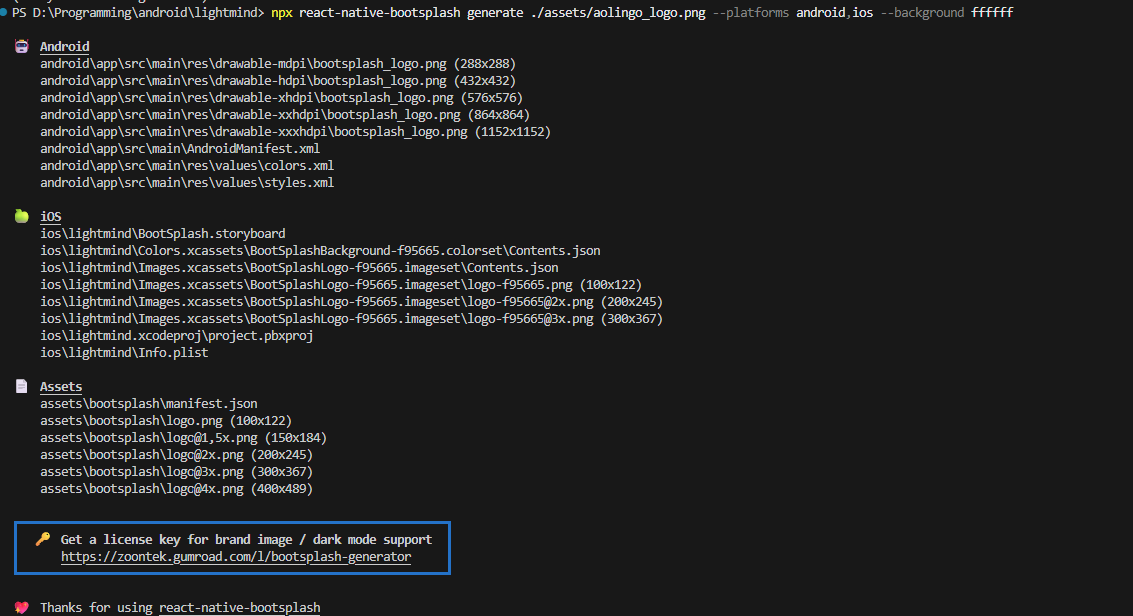
npx react-native-bootsplash generate ./assets/aolingo_logo.png --platforms android,ios --background ffffff这个命令会自动更新 Android 的主题和 AndroidManifest.xml,将其配置为使用新的 BootTheme,成功后会有如下输出:
查看闪页插件版本号
npm list react-native-bootsplash
3、在MainActivity.kt中开启闪页
package com.lightmind

import com.facebook.react.ReactActivity
import com.facebook.react.ReactActivityDelegate
import com.facebook.react.defaults.DefaultNewArchitectureEntryPoint.fabricEnabled
import com.facebook.react.defaults.DefaultReactActivityDelegate
import android.os.Bundle
import com.zoontek.rnbootsplash.RNBootSplash

class MainActivity : ReactActivity() {

  /**
   * Returns the name of the main component registered from JavaScript. This is used to schedule
   * rendering of the component.
   */
  override fun getMainComponentName(): String = "lightmind"

  override fun onCreate(savedInstanceState: Bundle?) {
    RNBootSplash.init(this, R.style.BootTheme) //initialize the splash screen
    super.onCreate(savedInstanceState)
  }

  /**
   * Returns the instance of the [ReactActivityDelegate]. We use [DefaultReactActivityDelegate]
   * which allows you to enable New Architecture with a single boolean flags [fabricEnabled]
   */
  override fun createReactActivityDelegate(): ReactActivityDelegate =
      DefaultReactActivityDelegate(this, mainComponentName, fabricEnabled)
}
4、在APP.tsx中关闭闪页
闪页默认会占据屏幕,需要在App.tsx中将闪页关闭
import React, { useEffect } from 'react';
import RNBootSplash from 'react-native-bootsplash';

function App() {
  const isDarkMode = useColorScheme() === 'dark';

  // 3. 添加 useEffect 来隐藏启动屏
  useEffect(() => {
    // 隐藏启动屏,使用淡出动画
    // 延时 5 秒后隐藏闪屏
    const timer = setTimeout(() => {
      RNBootSplash.hide();
    }, 5000);

    return () => clearTimeout(timer); // 清理定时器


  }, []); // 空数组表示只在组件挂载时运行一次

  return (
    <SafeAreaProvider>
      <StatusBar barStyle={isDarkMode ? 'light-content' : 'dark-content'} />
      <AppContent />
    </SafeAreaProvider>
  );
}
5、可以在style中进行详细配置
编辑:android/app/src/main/res/values/styles.xml
<resources>
    <style name="AppTheme" parent="Theme.AppCompat.DayNight.NoActionBar">
        <!-- Customize your theme here. -->
        <item name="android:editTextBackground">@drawable/rn_edit_text_material</item>
    </style>

    <style name="BootTheme" parent="Theme.BootSplash">
        <item name="bootSplashBackground">@color/bootsplash_background</item>
        <item name="bootSplashLogo">@drawable/bootsplash_logo</item>
        <item name="postBootSplashTheme">@style/AppTheme</item>
    </style>
</resources>