
1、下载mihomo
https://github.com/MetaCubeX/mihomo/releases/下载的时候一定要注意平台类型,分arm、linux及darwin的不同版本。
2、解压并安装
gunzip mihomo-linux-arm64-v1.19.21.gz
chmod 755 mihomo-linux-arm64-v1.19.21
mv mihomo-linux-arm64-v1.19.21 /usr/sbin/clash
3、配置clash的订阅
vim /opt/ClashMeta/config/config.yaml

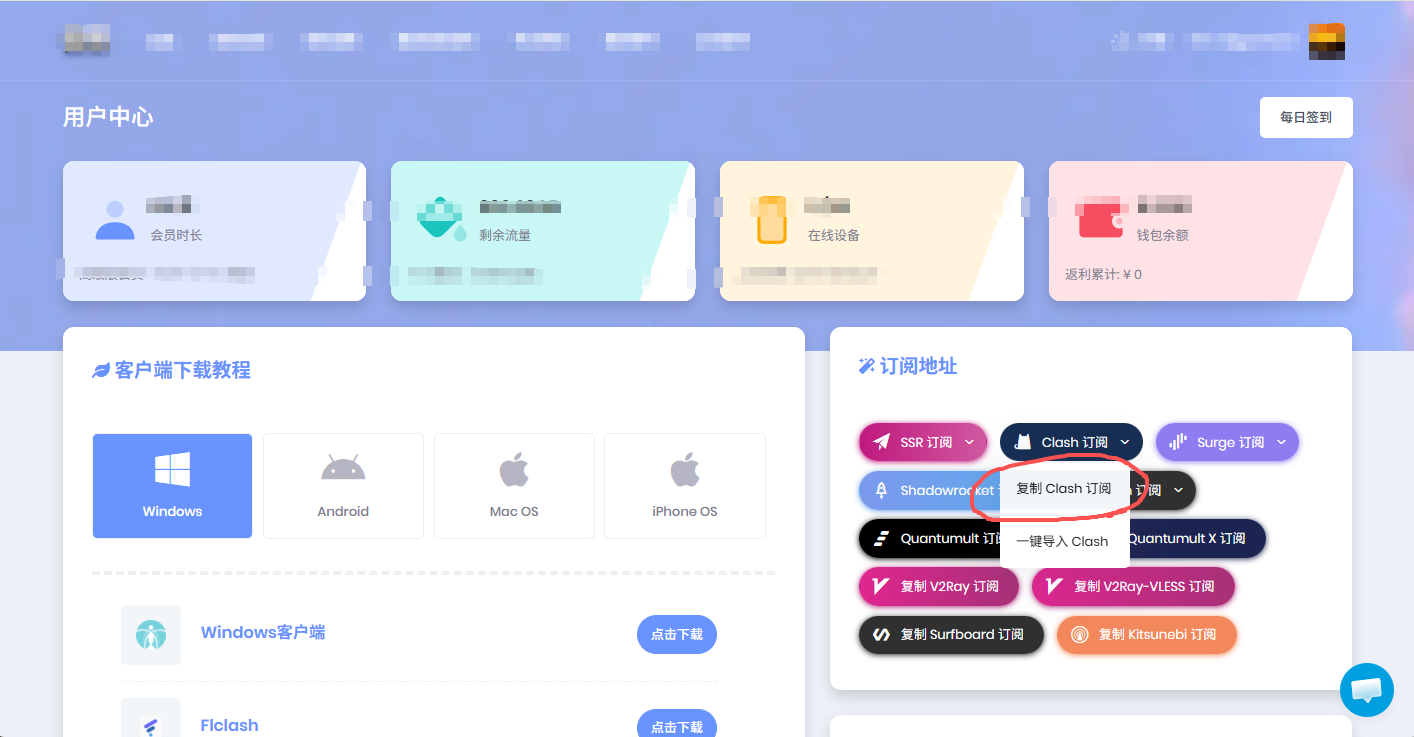
登录到X梯复制Clash订阅地址放到浏览器,把配置文件下载后进行配置。
port: 7890
socks-port: 7891
redir-port: 7892
allow-lan: true
mode: rule
log-level: info
external-controller: '0.0.0.0:9090'
secret: ''

tun:
  enable: true
  stack: system
  auto-route: true
  strict-route: false
  auto-detect-interface: true
  dns-hijack:
  - any:53

dns:
  enable: true
  enhanced-mode: fake-ip
  nameserver:
    - 223.5.5.5
    - 8.8.8.8
proxies:
  -
    name: PRO-A-香港-HK01
    type: ssr
    server: 8b66fee1041c35dc.80f42b15d30109ec.tencent-cloud01.net
.....
4、初始化配置
mkdir /opt/ClashMeta/config
clash -d /opt/ClashMeta/config
初始化的过程会下载MMDB文件,如果由于无法下载该文件而导致初始化失败,那么可以按照【步骤4】手工下载。
5、下载MMDB
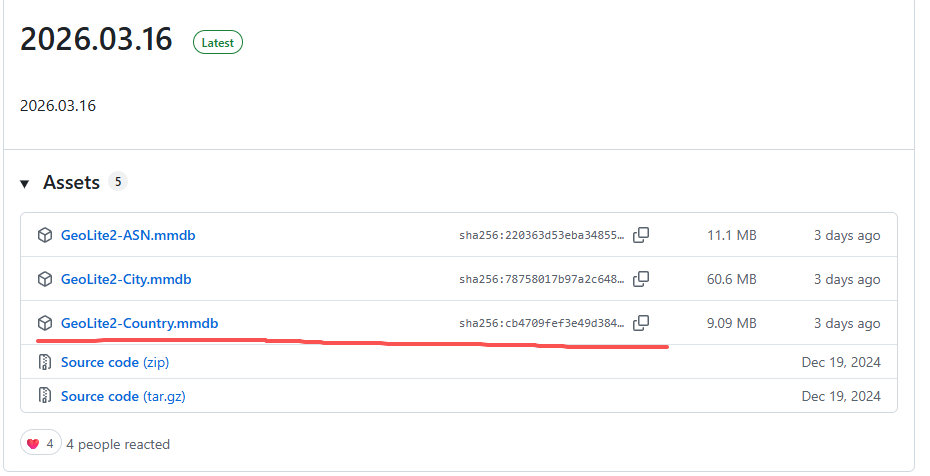
https://github.com/P3TERX/GeoLite.mmdb/releases分三个版本,用于判断ip属于哪个国家,以便判断是否为国外流量,因此只下载GeoLite2-Country.mmdb版本即可。
cp GeoLite2-Country.mmdb /opt/ClashMeta/config
cd /opt/ClashMeta/config
mv GeoLite2-Country.mmdb geoip.metadb
6、配置服务
# vim /etc/systemd/system/clash.service

[Unit]
Description=Clash Meta
After=network.target

[Service]
ExecStart=/usr/sbin/clash -d /opt/ClashMeta/config
Restart=always
User=root

[Install]
WantedBy=multi-user.target
启动服务
systemctl enable clash
systemctl start clash